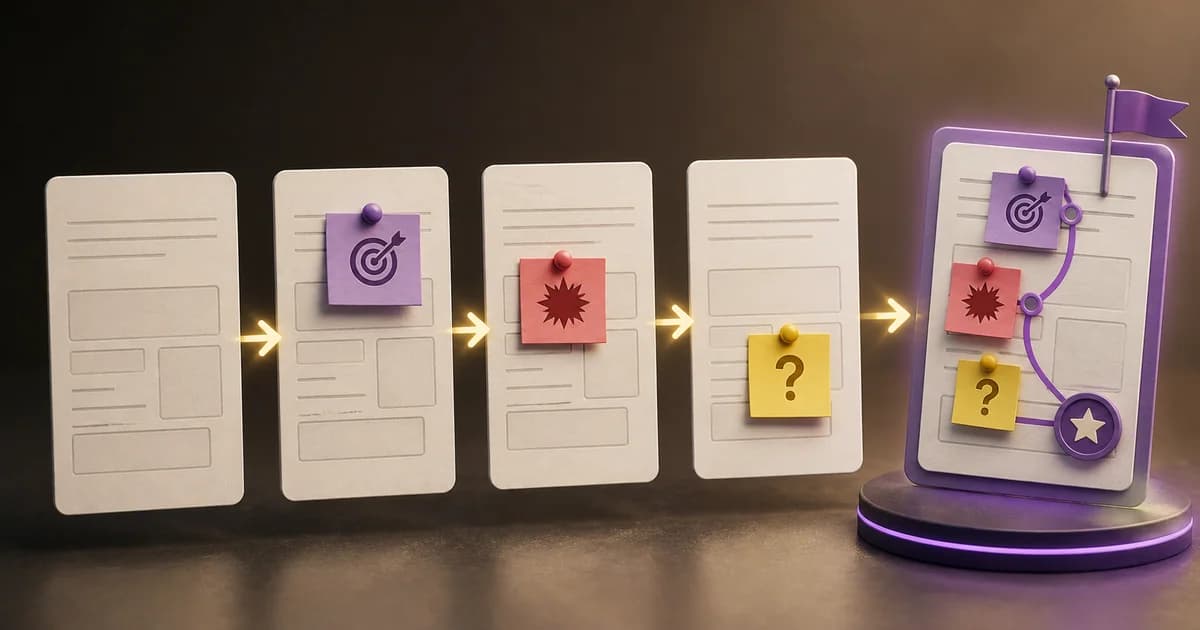
As a serialization runs longer, remembering character names alone isn't enough to keep the details consistent. You also need to track the episode where a character was called by a nickname, the supporting character who changed affiliation, and the character who turned from ally to enemy.
A character relationship chart for long-running serialization is a record system that links a master ledger of each character's current information with a change history of relationships and status. In practice, it's easier to manage if you split it into the following four tabs.
- Character Master: Name, alias, role, affiliation, first appearance episode, current status
- Relationship Log: The relationship between two characters and when it changed
- Episode Change Log: Status changes that occurred in a specific episode and their basis
- Classification values: standard options to use for affiliation, role, status, and so on
Why Split the Character Relationship Chart Into Four Tabs
Putting all the information into one table looks simple at first. Once characters multiply and relationships start changing, a single cell ends up mixing past and present, and it becomes hard to find which episode changed a given detail.
Separating each tab's role lets you preserve current values and change history at the same time.
Scroll the table horizontally to see more.
| Tab | Information Recorded | Question Used to Check |
|---|---|---|
| Character Master | Name, alias, role, affiliation, first appearance, current status | Who is this character and what is their current status? |
| Relationship Log | Character pair, relationship type, emotional direction, change episode | When and how did the relationship between these two characters change? |
| Episode Change Log | Characters involved, event, status change, timing | Which episode is the basis for this detail? |
| Classification Values | Standard options for affiliation, role, and status | Which wording should we standardize this information to? |
It's best to treat the character relationship map as a screen that supports this structure, not a replacement for it. Use the map to scan connections like blood ties, alliances, and conflicts quickly, and use the chart to look up exact affiliation, episode, and status.
Character Master Template: Organizing Name, Alias, Affiliation, and First Appearance
The character master records one row of current information for each character. Since it's the reference ledger for organizing web novel characters, a character with multiple aliases doesn't get a separate row for each alias.
Scroll the table horizontally to see more.
| Character ID | Real Name | Alias | Role | Affiliation | First Appearance Episode | Current Status | Last Confirmed Episode | Notes |
|---|---|---|---|---|---|---|---|---|
| C-001 | ||||||||
| C-002 | ||||||||
| C-003 |
Link Real Name and Alias to a Single Character ID
The real name is the reference name used to identify that character within the work. The alias column collects variations of the name such as nicknames, pseudonyms, and titles. It's useful to keep the actual spelling used in the manuscript so you don't miss it when searching.
If there are characters with the same name or similar names, assign a character ID to distinguish them. Using the same ID instead of the name in the relationship log also reduces connection errors caused by variations in spelling.
Standardize Role and Affiliation With Dropdowns
Entering role and affiliation freely can lead to similar categories piling up, like "supporting character" versus "major supporting character," or "royal family" versus "royal palace." Create options in the classification values tab and set up validation that doesn't allow input outside that list.
For affiliation, enter the current affiliation, and don't append the previous affiliation in the same cell. Departures or transfers should be left in the episode change log so you can trace back the point of the move.
Record Only the Initial Entry Point for First Appearance Episode
The first appearance episode should be the episode where the character first appears to readers and the story. If you keep adding reappearance episodes or episodes where they're merely mentioned, the reference point gets blurry. Manage later major appearances in the episode change log instead.
Manage Current Status With a Limited Set of Options
Standardize current status to values that affect the progress of the narrative, such as alive, injured, missing, or departed. Free-form impressions or psychological descriptions are easier to read if kept in notes or the episode change log.
The following criteria are practical when deciding on status values.
- Is this a status the author needs to check when writing the next scene?
- Is there a chance you'll need to find the episode where it changed?
- Does it affect the actions of other characters or affiliations?
- Can the same meaning be standardized into a single expression?
Relationship Log Template: Recording Changes in Alliances, Conflicts, and Blood Ties
If you cram character relationships into a single cell of the master table, that cell keeps growing as characters increase. Manage relationships in a separate log that pairs two characters together instead.
Scroll the table horizontally to see more.
| Relationship ID | Character A | Character B | Relationship Category | Specific Relationship | Emotional Direction | Start Episode | Change Episode | Current Status | Evidence Notes |
|---|---|---|---|---|---|---|---|---|---|
| R-001 | |||||||||
| R-002 | |||||||||
| R-003 |
Distinguish Relationship Category From Specific Relationship
The category should hold broad relationship types like family, social, or professional. The specific relationship column records the actual connection needed for the story, such as parent, friend, lover, rival, or employer.
For example, the fact that two characters belong to the same organization and the fact that they trust each other are different in nature. Check affiliation in the character master and keep personal alliances or conflicts in the relationship log to keep the two separate.
Emotional Direction Shows the Asymmetry of a Relationship
Relationships aren't always mutual. Only one side may trust the other, or a mentor may protect a student while the student doubts the mentor. In these cases, write the emotional direction so it's clear whose feelings are being described.
If both sides' feelings matter, you can record the direction from Character A to B and from B to A separately. You don't need to fill in inner feelings that haven't appeared in the work yet. Only update information confirmed in the manuscript.
Don't Overwrite an Existing Row When a Relationship Changes
If an alliance turns into a conflict, change the current status of the existing alliance row to ended and record the change episode. Add the new conflict relationship as a separate row.
Recording it this way lets you check the current relationship and when it changed at the same time. Even at the moment you wonder, "were these two enemies from the start?" you can just follow the start episode and change episode. It's a question that comes up fairly often the longer a serialization runs.
Episode Change Log: Keeping a Record of Why Character Status Changed
The character master shows current values, but it doesn't explain why those values changed. The episode change log records events that affect continuity, such as appearances, injuries, movement, leaving an affiliation, or relationship changes.
Scroll the table horizontally to see more.
| Log ID | Episode | Characters Involved | Field Changed | Previous Value | New Value | Event or Basis | In-Story Timing | Reflected in Master |
|---|---|---|---|---|---|---|---|---|
| L-001 | ||||||||
| L-002 | ||||||||
| L-003 |
Keep episode and in-story timing separate. The episode is the serialization order readers read in, while in-story timing is the date or time period when the event actually happened. In works with flashbacks or parallel timelines, the two values can differ.
Update Right After Finishing Each Episode
Checking the following items right after finishing an episode keeps the record from falling behind.
- Check whether any new characters appeared.
- Look at whether an existing character's survival, injury, location, or affiliation changed.
- Check whether alliances, conflicts, employment, or mentor relationships changed.
- Record the episode and the basis for the event in the change log.
- Update the current values in the character master and the current status in the relationship log.
You don't need to log characters who had no changes in every episode. Only recording changes that affect the current narrative is what keeps the log functioning as a useful review tool.
Criteria for Keeping Only Necessary Information at a Scale of 50+ Characters
As the number of characters grows, the density of information matters more than the number of rows in the table. If you start moving every piece of worldbuilding into the relationship chart, it becomes hard to find the current status you actually need.
Save Filtered Views by Main Character, Supporting Character, and Group
Set up filtered views in the character master by affiliation, status, and main character versus supporting character. This keeps a single ledger while letting you narrow the view to what you need.
Before actually writing, you can use these filters like this.
- Episodes where a specific affiliation appears: filter by that affiliation
- Follow-up scenes after a battle: filter by status such as injured or missing
- Checking relationships around the protagonist: main character filter plus relationship log search
- A supporting character reappearing after a long absence: review first appearance episode and last confirmed episode
Show Only the Connections Needed for the Current Scene in the Relationship Map
Connecting all 50 characters in a single character relationship map creates too many lines to read. Use the map with a narrowed scope, such as a specific affiliation, event, or scene.
The roles of the chart and the map can be split like this.
Scroll the table horizontally to see more.
| Purpose | Character Relationship Chart | Character Relationship Map |
|---|---|---|
| Searching name or alias | Suitable | Limited |
| Filtering by affiliation or role | Suitable | Can check groupings by affiliation |
| Checking first appearance episode | Suitable | Not suitable |
| Checking current status | Suitable | Simple markers possible |
| Grasping blood ties, alliances, or conflicts | Check via relationship log | Quick visual check |
| History of relationship changes | Suitable | Representation can get complicated |
Move Information Not Needed for the Next Episode Into a Separate Worldbuilding Document
Character details like preferences, speech habits, appearance, and backstory can matter to the work. But they don't all need to go into a table meant for checking names, affiliations, and current relationships.
Keep only the values needed for identification, searching, and continuity checks in the relationship chart, and manage detailed character worldbuilding in a separate document. A short clue in the character master's notes pointing to the related worldbuilding is enough.
How to Build Classification Values for Managing Characters in a Long-Running Serial
The classification values tab is a reference table that prevents inconsistent wording. Register only values that actually exist in the work, and add new organizations or statuses as they appear in the manuscript.
Scroll the table horizontally to see more.
| Classification Item | Example Values | Criteria for Entry |
|---|---|---|
| Role | Main character, supporting character, antagonist | Limit to the scope needed for distinctions while writing |
| Affiliation | House, guild, nation, school, organization | Use the official name that appears in the work |
| Current Status | Alive, injured, missing, departed | Use the current value that affects the narrative |
| Relationship Category | Family, social, professional | Use as the top-level classification in the relationship log |
| Specific Relationship | Parent, friend, lover, rival, employer | Register only relationships confirmed in the work |
More classification values isn't necessarily a better dictionary. Merge expressions that mean the same thing, and clean up values no longer used in the work only after checking existing records.
Final Check Before Writing the Character Relationship Chart
A completed template should be able to quickly answer the following questions.
- What is this character's real name and alias?
- What is their current affiliation and role?
- Which episode did they first appear in?
- What is their current status among alive, injured, missing, and departed?
- When did the relationship between two characters start and change?
- Can you find the event and episode that back up the current value?
If you have to read through several cells to find the answer, a single cell probably holds too much information. Putting current values back in the master, connections in the relationship log, and the basis for changes in the episode log makes the structure clear again.
Summary
- A character relationship chart for long-running serialization consists of four tabs: character master, relationship log, episode change log, and classification values.
- Name, alias, affiliation, first appearance, and current status are managed in the master, while character relationships and when they changed are preserved in separate logs.
- At a scale of 50 or more characters, keep the chart as a searchable ledger and use the relationship map as a supplementary view for checking connections by affiliation or event.
FAQ
What Fields Does a Character Relationship Chart Need for a Long-Running Web Novel Serial?
Real name, alias, role, affiliation, first appearance episode, and current status are the basics. Record relationships in a separate log that includes Character A, Character B, relationship category, start episode, change episode, and current status.
Can 50 or More Characters Still Be Managed in a Single Sheet?
It's better to keep one character master ledger while separating relationships and change history into their own tabs. Saving filtered views by affiliation, status, and main character versus supporting character lets you quickly find just the characters you need.
Should Aliases and Pseudonyms Be Registered as Separate Characters?
If it's the same character, link them to a single character ID and row. Writing the actual name variations used in the manuscript in the alias column reduces missed search results.
If a Relationship Changes Mid-Serialization, Is It Okay to Edit the Existing Entry?
Rather than overwriting the existing relationship, record the change episode and current status, then add the new relationship as a separate row. That way you can trace both the point where an alliance turned into a conflict and the previous relationship.
How Often Should Status Changes Be Updated?
It's practical to check for new characters and confirm survival, injuries, location, departures from affiliations, and relationship changes right after finishing an episode. Characters with no changes don't need to be logged repeatedly.
Was this article helpful?
Read next