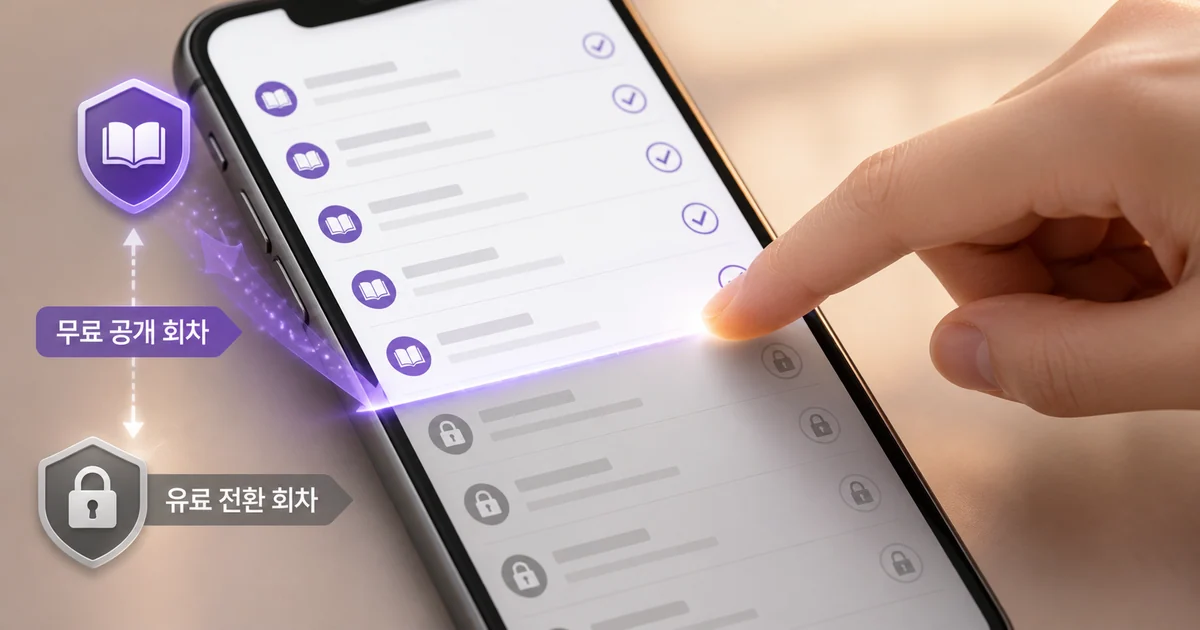
There is a fairly clear way to read new releases on Munpia without spending gold. Find recent serializations in the free web novel list, then read only up to the episode range marked free in the work's episode display.
Here, "free" does not necessarily mean every episode of a work stays open indefinitely. Even within the same work, free episodes and episodes with different usage conditions can appear side by side, so it pays to check both the list screen and the detail screen in turn.
How to Use Munpia for Free: The Range You Can Read Without Gold
Munpia's serializations are released episode by episode. If you want to avoid paying or using gold, treat episodes marked "All Free," "Free," or "Free with Login" in the work detail page as your reading range.
"Free with Login" means the episode does not require gold, but it may require you to log in. If you want to avoid logging in as well, check "Free" and "Free with Login" separately.
Scroll the table horizontally to see more.
| Label on Work Detail | Readable Without Gold | What to Check |
|---|---|---|
| All Free | Yes | Whether individual episodes have a login requirement |
| Free | Yes | The current usage label on that episode |
| Free with Login | Yes | Login required |
| Paid Work | May be partly possible | The marked free episode count and where paid access starts |
Even works classified as paid may still have free episodes available. As of this writing, one paid work showed 162 total episodes with 25 marked free. This figure only reflects that work's display at the time and cannot be applied to other works.
Free episode counts and access conditions can differ from work to work. Rather than assuming how many episodes will be free, it is more accurate to judge based on the current labels shown in the episode list.
The Search Order for Finding Free New Releases on Munpia
Munpia has a separate free web novel list. This list is divided into Author Serialization, General Serialization, and Free Serialization tabs, and you can narrow results by combining genre, registration date, and update status.
Finding Just-Started Works by Recent Registration Order
If you want to find works that started serializing recently, "Recent Registration Order" is the most direct approach. Setting the date range to the last 7 or 15 days also keeps your search for new serializations tighter.
Specifying a genre as well cuts down the time spent skipping past works you're not interested in. Searching Munpia's free new releases goes smoothly in this order:
- Go to the free web novel list.
- Choose which tab to browse among Author Serialization, General Serialization, and Free Serialization.
- Set your preferred genre and a range of the last 7 or 15 days.
- Sort by "Recent Registration Order" to check newly registered works.
- Check the episode by episode free usage labels on the work detail page.
Finding Steadily Updated Serializations by New Post Order
While "Recent Registration Order" is useful for checking when a work started, "New Post Order" is better suited for finding recently updated works. When picking a work to keep following after discovering it, also check the most recent serialization date.
In the free web novel list you can check not only the serialization category and genre but also the UP label, total episode count, view count, and most recent serialization date. Among these, the information that directly helps a gold free reading flow is the most recent serialization date and total episode count.
A recent serialization date is a good sign that the work is still actively updating, and the total episode count is a useful measure of how much content has accumulated so far. Picking a candidate from the list and then checking the free range on the work detail page helps you avoid wasted trips.
Using View Count and Like Count as Secondary Criteria
The free web novel list also offers sorting by view count and like count. These are useful for browsing works that have gathered reader response, but if your goal is finding newly started works, Recent Registration Order or New Post Order is more direct.
A completed works filter is also available, so check your current filter setting when looking for ongoing new releases. Rather than relying on a single sort criterion, it is more reliable to check registration date, most recent serialization date, total episode count, and episode by episode usage conditions together.
How to Distinguish Free Episodes From Gold Required Episodes
The mere fact that a work appears in the free web novel list is not enough to judge the usage conditions of every episode. The final point to check is the episode list on the work detail page.
In free serialization works, "All Free" may appear alongside individual episodes marked "Free" or "Free with Login." Paid works show a work category of "Paid," and the total episode count and free episode count may also be displayed separately.
There are not many items to check.
- Whether the work is categorized as free serialization or paid
- Whether an "All Free" label is present
- Whether individual episodes are marked Free or Free with Login
- If it's a paid work, how many episodes are marked free
- How usage conditions change once the free range ends
The list screen is where you discover works, and the detail screen is where you actually decide how far to read. Keeping these two steps separate reduces situations where you thought a work was free only to hit a wall on the next episode.
A Reading Flow for Steadily Following New Releases Without Gold
To enjoy free serialized reading over the long term, it is more realistic to rotate through several currently free serializations rather than trying to follow every episode of a single work. When a work's free range ends, pause it and look for another recently updated work instead.
Criteria to Check Before Reading
Before opening a work, check these three things.
- Is the most recent serialization date recent
- Does the current total episode count match the amount you want to read
- Is the range readable without gold clear in the episode list
Even for a work with an ongoing serialization schedule, the list information alone cannot confirm whether future episodes will stay free. You need to check the usage label each time a new episode goes up.
What to Choose When the Free Range Ends
If the usage conditions change on the next episode, the choice is simple. Either pause that work, or go back to the free web novel list and look for another new serialization.
Having many free episodes accumulated does not guarantee that the range ahead stays free. Works classified as paid may move into a gold required range once you finish the free portion. Setting the rule from the start, read only up to the marked free episodes, makes it easier to control your reading costs.
The Limits of Reading Munpia Without Gold
You can keep discovering new releases and serializations on Munpia without gold. That does not mean you can necessarily follow a specific work all the way to its latest episode.
Free usage has the following boundaries.
- The number of free episodes offered can differ from work to work.
- Even in all free works, some episodes may show a login requirement.
- Paid works may change usage conditions after the free range ends.
- Whether new episodes will keep being offered free cannot be confirmed from the current list alone.
- The free range needs to be rechecked against the latest episode labels on the work detail page.
If your goal is finishing one favorite work, you may need to make a choice once the free range ends. On the other hand, for readers who want to sample the openings of many new releases and discover serializations that fit their taste, the free web novel list alone offers plenty to browse. Hunting for new releases has always been about getting a feel for a work in the first few episodes anyway.
Summary
- Selecting Recent Registration Order or New Post Order in Munpia's free web novel list, and applying a 7 or 15 day range, makes it easy to find new releases and recently updated works.
- The range you can read without gold should be confirmed through the "All Free," "Free," and "Free with Login" labels on the work detail page, along with the marked free episode count for paid works.
- Once the free range ends, pausing that work and moving to another free serialization is the realistic way to keep reading new releases without paying.
FAQ
Can I read new web novels on Munpia without gold?
Yes. You can find works in the free web novel list and read up to the range marked All Free, Free, or Free with Login in the detail episode list.
How do I find free episodes of new releases on Munpia?
Try selecting Recent Registration Order or New Post Order in the free web novel list and applying a range of the last 7 or 15 days. After picking a candidate, check the usage label on individual episodes in the work detail page.
How do I tell free episodes apart from episodes that need gold?
You distinguish them based on the episode by episode labels on the work detail page. Paid works may show the total episode count together with the free episode count, so also check the point where the free range ends.
Can I read an entire all free work without logging in?
Not always. Even in all free works, individual episodes may show a Free with Login label, so you should check the login requirement separately.
Can I keep reading one work all the way to its latest episode without gold?
It depends on that work's access conditions. Since the range may shift to paid after the free portion, free access all the way to the latest episode is not guaranteed.
Was this article helpful?
Read next